
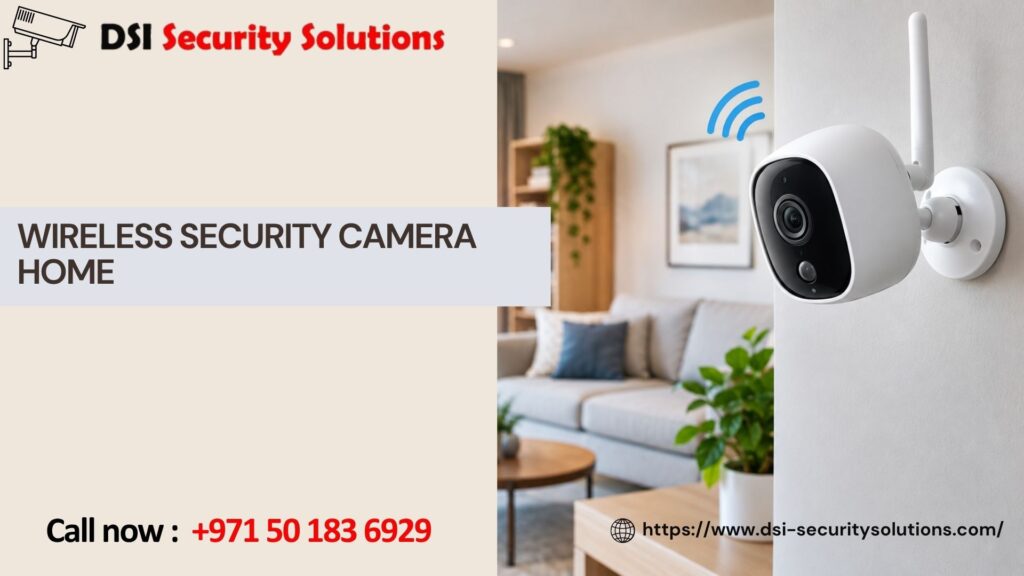
Wireless Security Camera for Home: What You Need to Know Before You Buy
If you’ve searched for a wireless security camera for home protection, you’ve probably noticed the market is crowded with options, budget doorbell cams, battery-powered outdoor cameras, Wi-Fi indoor cameras, and full multi-camera kits. Choosing the right setup isn’t just about picking the highest-rated product online. It’s about understanding how wireless systems actually work, where they perform well, where they fall short, and how to get a setup installed correctly so it protects your home the way you expect it to.
At DSI Security Solutions, we help homeowners choose, install, and configure wireless home security cameras that fit their property, their budget, and their daily routines. This guide walks through everything you should know before investing in a wireless camera system, and how professional installation can make the difference between a camera that just sits there and one that actually keeps your home safe.
What Is a Wireless Security Camera, Really?
The term “wireless” is a bit misleading. Most wireless security cameras still need a power source, either a plug, a rechargeable battery, or solar panel, but they transmit video over Wi-Fi instead of running a physical data cable back to a recorder. This eliminates the need for drilling and running cables through walls, which is why wireless cameras have become so popular for home use.
There are generally three types of wireless home security cameras:
- Battery-powered cameras — fully wireless with no cables at all, ideal for spots without nearby outlets, such as gates, sheds, or detached garages
- Plug-in Wi-Fi cameras — wireless video transmission but still require a power outlet, offering more consistent uptime than battery models
- Video doorbell cameras — a specialized wireless camera mounted at your front entry, combining video, two-way audio, and motion alerts
Understanding which category fits each location on your property is the first step toward building an effective home security camera system.
Benefits of a Wireless Home Security Camera System
Homeowners choose wireless systems for good reason. The main advantages include:
- Easier installation — no need to run cables through walls or ceilings, which reduces both cost and installation time
- Flexible placement — cameras can be repositioned or added to new areas without rewiring
- Remote monitoring — most systems connect to a mobile app, letting you check live video and receive motion alerts from anywhere
- Scalability — additional cameras can be added to the system as your needs grow
- Smart home integration — many wireless cameras work with smart locks, video doorbells, and voice assistants for a connected home security experience
That said, wireless doesn’t automatically mean simple or reliable. Signal strength, camera placement, and network configuration all play a major role in how well the system actually performs.
Common Challenges With Wireless Security Cameras
Before installing a wireless security camera at home, it helps to understand the trade-offs:
- Wi-Fi range and interference — cameras placed too far from your router, or blocked by walls and metal siding, may experience lag, dropped connections, or delayed alerts
- Battery maintenance — battery-powered cameras need periodic recharging, which can be easy to forget until you need footage and discover the camera was offline
- Storage limitations — many wireless cameras rely on cloud storage subscriptions, and free storage tiers often only retain a few days of footage
- Vulnerability to hacking — poorly secured Wi-Fi cameras can be accessed by unauthorized users if passwords and firmware aren’t properly managed
These issues aren’t reasons to avoid wireless cameras altogether, but they’re exactly why professional installation and configuration matter. A properly set up system accounts for these weak points from the start.
How Professional Installation Improves Wireless Camera Performance
Many homeowners assume wireless cameras are a plug-and-play, DIY project, and to an extent, they can be. But a professionally installed system typically performs significantly better because it addresses the details most people overlook:
Strategic Placement
We assess your property to identify the most valuable coverage points, front and back entrances, driveways, side gates, and blind spots, while also checking Wi-Fi signal strength at each location to avoid connectivity issues.
Network Optimization
If your home’s Wi-Fi doesn’t reach certain areas reliably, we can recommend mesh network extenders or dedicated access points so your cameras stay connected without lag or dropped footage.
Secure Configuration
We set up strong passwords, enable two-factor authentication where available, and ensure firmware is up to date, reducing the risk of your camera feed being accessed by unauthorized users.
Storage Setup
We help you choose between cloud storage plans and local storage options (such as a microSD card or a home NVR) based on how much footage history you want to retain and your budget for ongoing subscription costs.
System Integration
If you already have a video doorbell, smart lock, or existing security system, we can integrate your new wireless cameras so everything works together through a single app rather than juggling multiple platforms.
Where to Install Wireless Security Cameras at Home
Coverage priorities vary by home, but most effective residential setups include cameras at:
- Front door and porch area (often combined with a video doorbell)
- Driveway and garage entrance
- Backyard and back door
- Side gates or less-visible entry points
- Common areas inside the home, such as living rooms or hallways, if desired
Outdoor cameras should always be weatherproof and rated for your local climate, while indoor cameras can prioritize features like two-way audio and pet or baby monitoring modes.
Wireless vs. Wired Home Security Cameras
It’s a common question: should you go fully wireless or stick with a wired system? Here’s a quick comparison:
- Wireless cameras are easier to install, more flexible to reposition, and better suited for renters or homes where running cable isn’t practical.
- Wired cameras offer more consistent power and connectivity, generally support higher resolution without lag, and don’t rely on battery charging cycles.
Many homeowners land on a hybrid approach: plug-in wireless cameras for permanent coverage areas, combined with battery-powered cameras for spots where running power isn’t feasible.
Choosing the Right Wireless Security Camera for Your Home
When comparing wireless home security cameras, consider these factors beyond price:
- Resolution — 1080p is the minimum for clear identification; 2K or 4K provides sharper detail for zooming into footage
- Night vision quality — color night vision has become increasingly common and offers far more useful footage than traditional black-and-white infrared
- Field of view — wider angles cover more area but can distort edges; the right balance depends on the space being monitored
- Motion detection accuracy — advanced motion sensors reduce false alerts from pets, shadows, or passing cars
- Local storage options — cameras with SD card slots avoid ongoing subscription fees required by cloud-only storage
We help homeowners cut through marketing claims and choose equipment that actually matches their property and priorities, not just the most heavily advertised option.
Why Homeowners Choose DSI Security Solutions
Installing a wireless security camera might look simple in a product video, but getting real, reliable protection out of your system takes more than mounting a camera and connecting to Wi-Fi. DSI Security Solutions offers:
- Free consultations to assess your home’s specific security needs
- Expert camera placement based on real coverage analysis, not guesswork
- Network and storage configuration for dependable, secure performance
- Support integrating cameras with existing smart home and security devices
- Ongoing troubleshooting and maintenance support after installation
We take the guesswork out of home security so you can trust that your cameras will actually work when it matters most.
Get Started With a Free Home Security Consultation
If you’re ready to install a wireless security camera system at home, or want to fix issues with an existing setup that isn’t performing reliably, DSI Security Solutions is here to help. Contact us today for a free consultation and a custom recommendation built around your home’s layout and your family’s peace of mind.
Frequently Asked Questions
Do wireless security cameras still need Wi-Fi to work?
Yes, in most cases. Wireless cameras transmit video over your home Wi-Fi network. If your Wi-Fi goes down, most cameras stop sending live feeds and alerts, though some models with local SD card storage will continue recording locally.
How long does the battery last on a wireless security camera?
Battery life varies widely depending on usage and model, typically ranging from one to six months between charges. Cameras placed in high-traffic areas with frequent motion triggers will drain faster than those in low-activity zones.
Can wireless security cameras be hacked?
Any internet-connected device carries some risk. Using strong, unique passwords, enabling two-factor authentication, and keeping firmware updated significantly reduces this risk. Professional installation includes setting up these protections properly from the start.
Is cloud storage required for wireless security cameras?
No. Many wireless cameras offer local storage via microSD cards as an alternative to cloud subscriptions. We can help you choose a setup that avoids ongoing monthly fees if that’s a priority.
How many wireless cameras do I need for my home?
Most homes benefit from four to six cameras covering the front door, backyard, driveway, and any secondary entry points. The exact number depends on your property’s size and layout, which we assess during a free consultation.
Can I install wireless cameras myself, or do I need a professional?
You can install basic models yourself, but professional installation ensures optimal placement, strong Wi-Fi connectivity, secure configuration, and integration with other smart home devices, resulting in a system that performs more reliably long-term.
Do wireless cameras work at night?
Yes. Most modern wireless security cameras include infrared or color night vision, allowing them to capture usable footage in low-light or fully dark conditions.